
BUILT FOR INDEPENDENT DEALERS
Know where every vehicle stands.
Track your inventory, parts, repairs, and vehicle costs in one organized workspace.

- Status and blocker
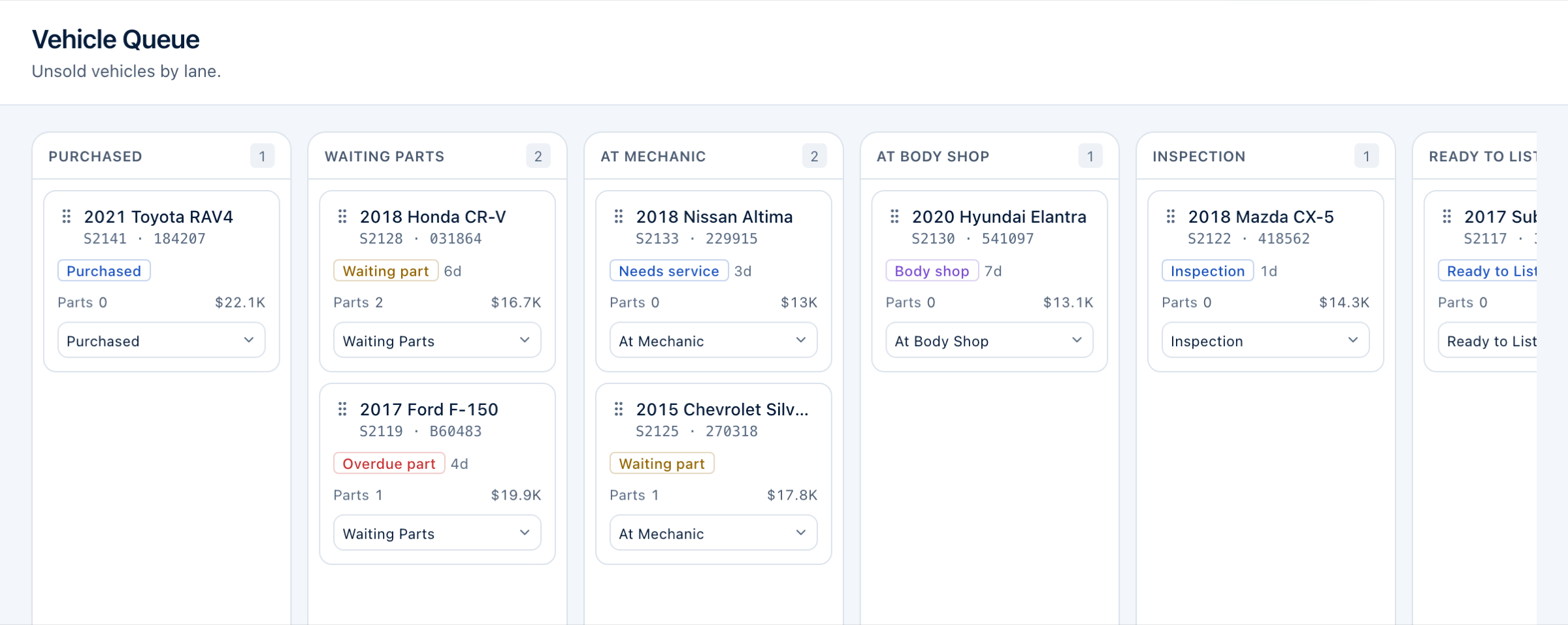
- Where each car is — waiting parts, at the mechanic, at the body shop — and the specific thing holding it up.
- Days owned
- How long every unsold vehicle has been with you, so aging stock stands out.
- What it has cost
- Acquisition cost plus the parts and expenses recorded against it, as one invested figure.
See what’s holding up each vehicle.
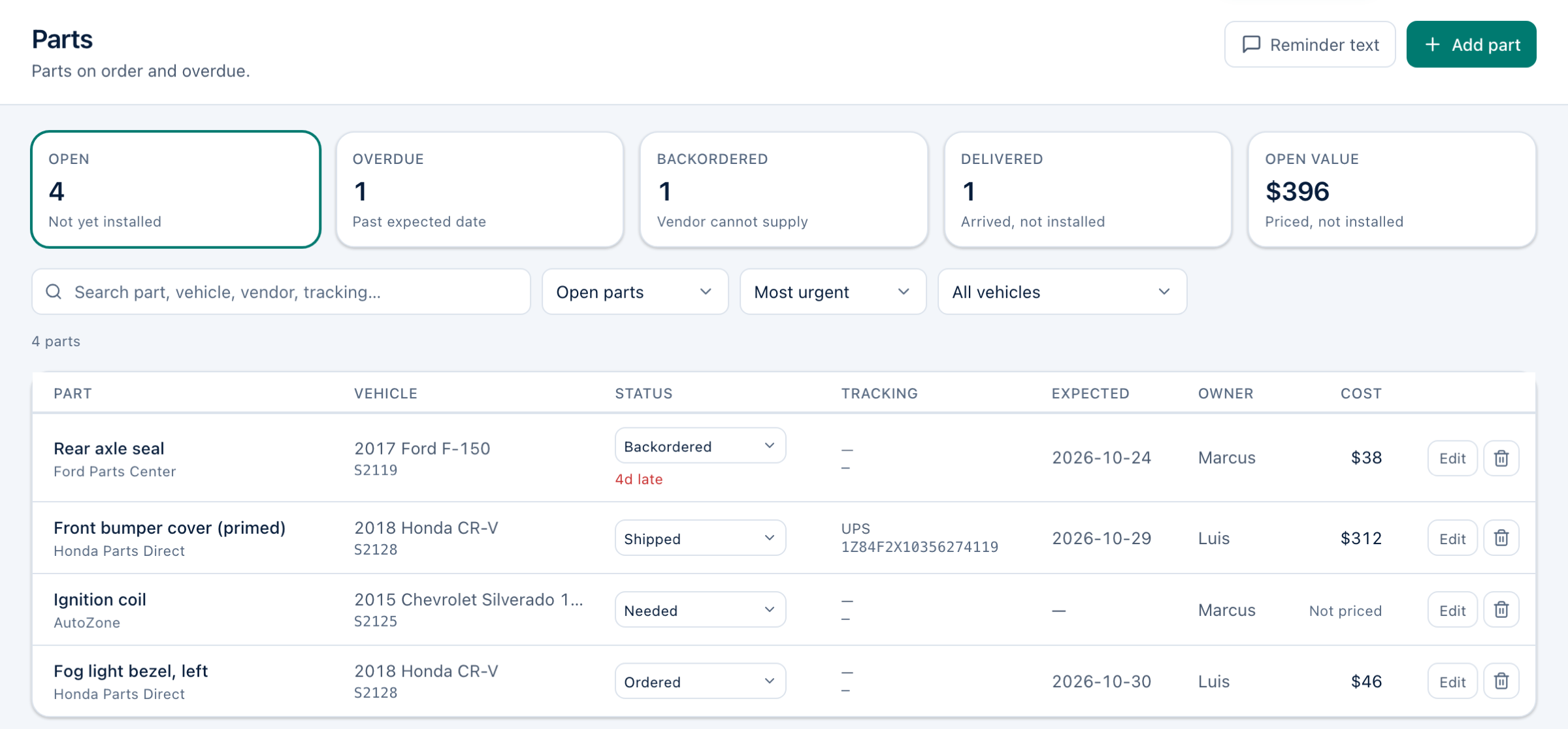
A car that sits waiting on a part costs you every day it is not for sale. AtoZync shows which part, from which vendor, who is chasing it, and how late it is.
- Every part with its vendor, status, tracking, expected date and owner
- Overdue and backordered parts flagged, with the days late
- Mechanic and body-shop work recorded on the vehicle, with who it is assigned to
Keep vehicle costs together.
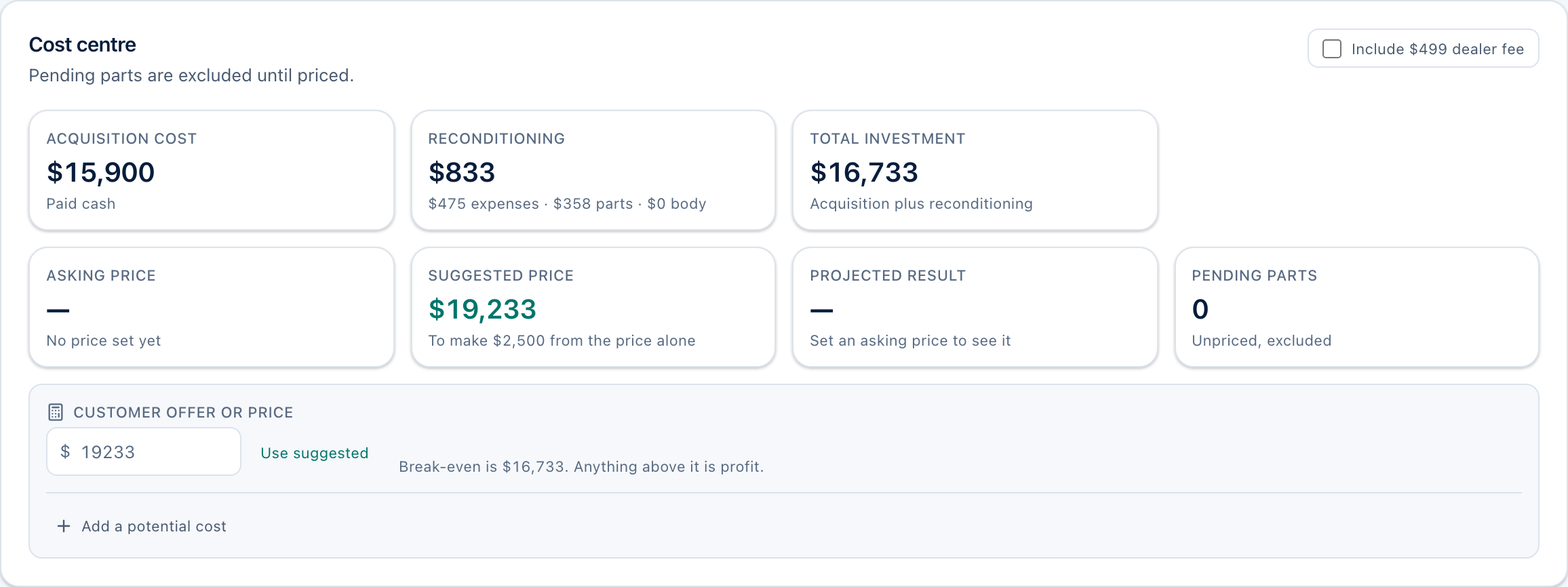
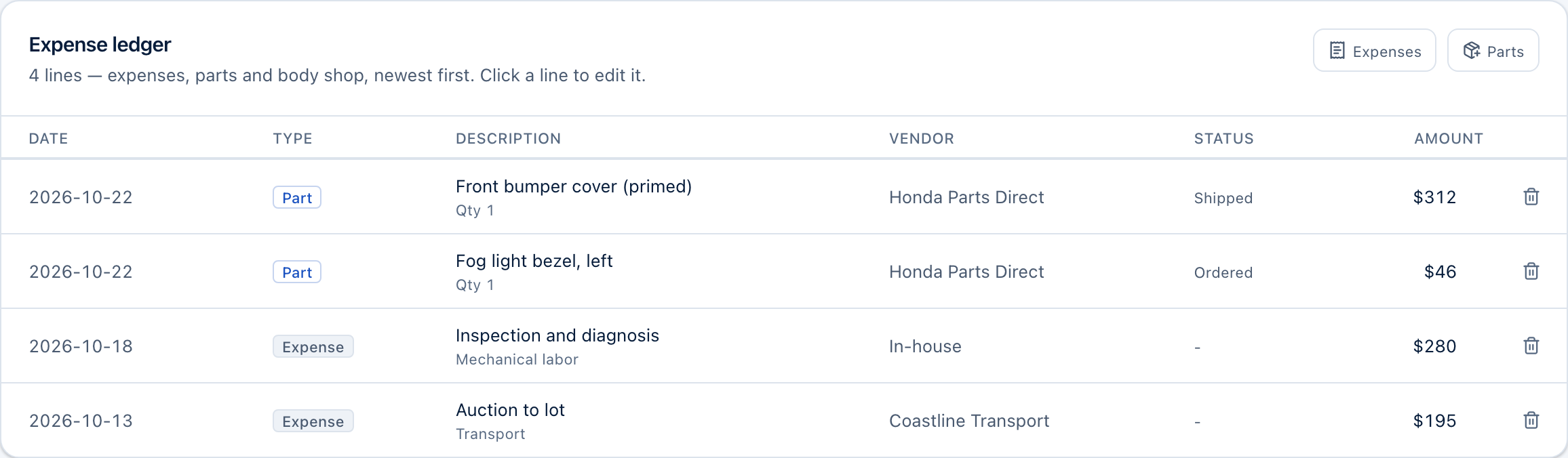
What you paid for the car, the parts you bought for it and the expenses you paid against it — transport, labor, detailing, inspection — add up on the vehicle itself, so you know what it has cost before you price it.
- Acquisition, expenses, parts and body-shop quotes in one total investment
- A ledger of every cost line for each vehicle
- A suggested price from your own target profit, and a quick check of any customer offer
The totals are only as complete as what you record. AtoZync is not accounting software.
Start each day with what needs attention.
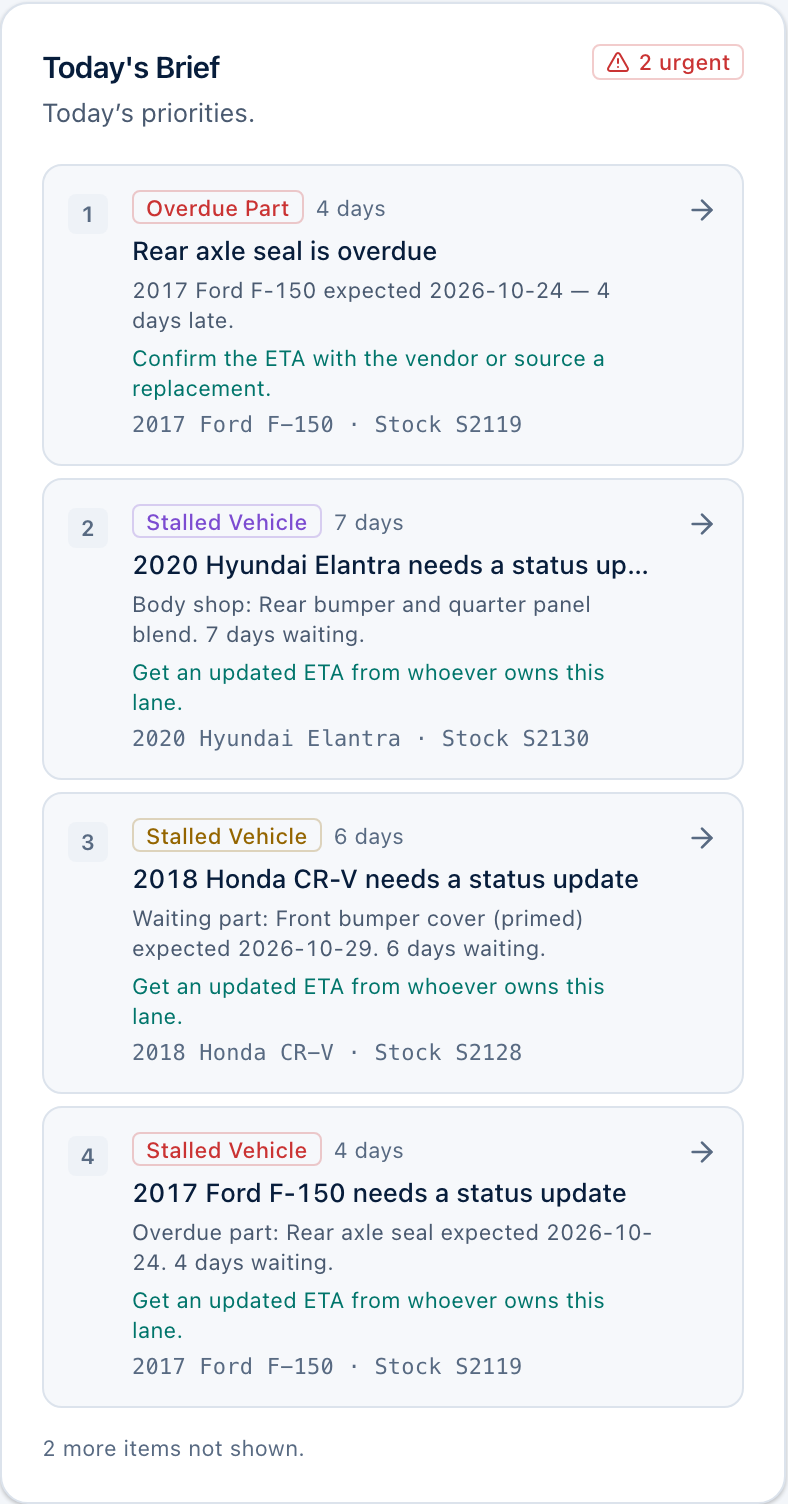
Today’s brief ranks the problems across your lot — a part that is late, a car that has not moved in days, a deadline coming up — and says what to do about each one.
- Overdue parts, stalled vehicles and deadlines in one ranked list
- A suggested next step for each item, linked to the vehicle
- A plain-text version to copy into a text message for your team
ATOZYNC FOR IPHONE
Snap the invoice. AtoZync lists the part or expense.
Photograph a parts invoice or receipt on the lot. The AtoZync iPhone app reads the vendor, date, total and every line, suggests which vehicle each line belongs to, and whether to track it as a part or post it as an expense. You check it and approve — nothing is recorded until you do.
- Reads invoices and receipts: vendor, date, invoice number, totals and line items
- Matches each line to a vehicle by VIN, stock number or make and model — and to parts already on order
- Scan a VIN with the camera, from the barcode or the printed number, to find or add a vehicle
- Photograph damage onto the vehicle, and get help diagnosing a fault while you work on it
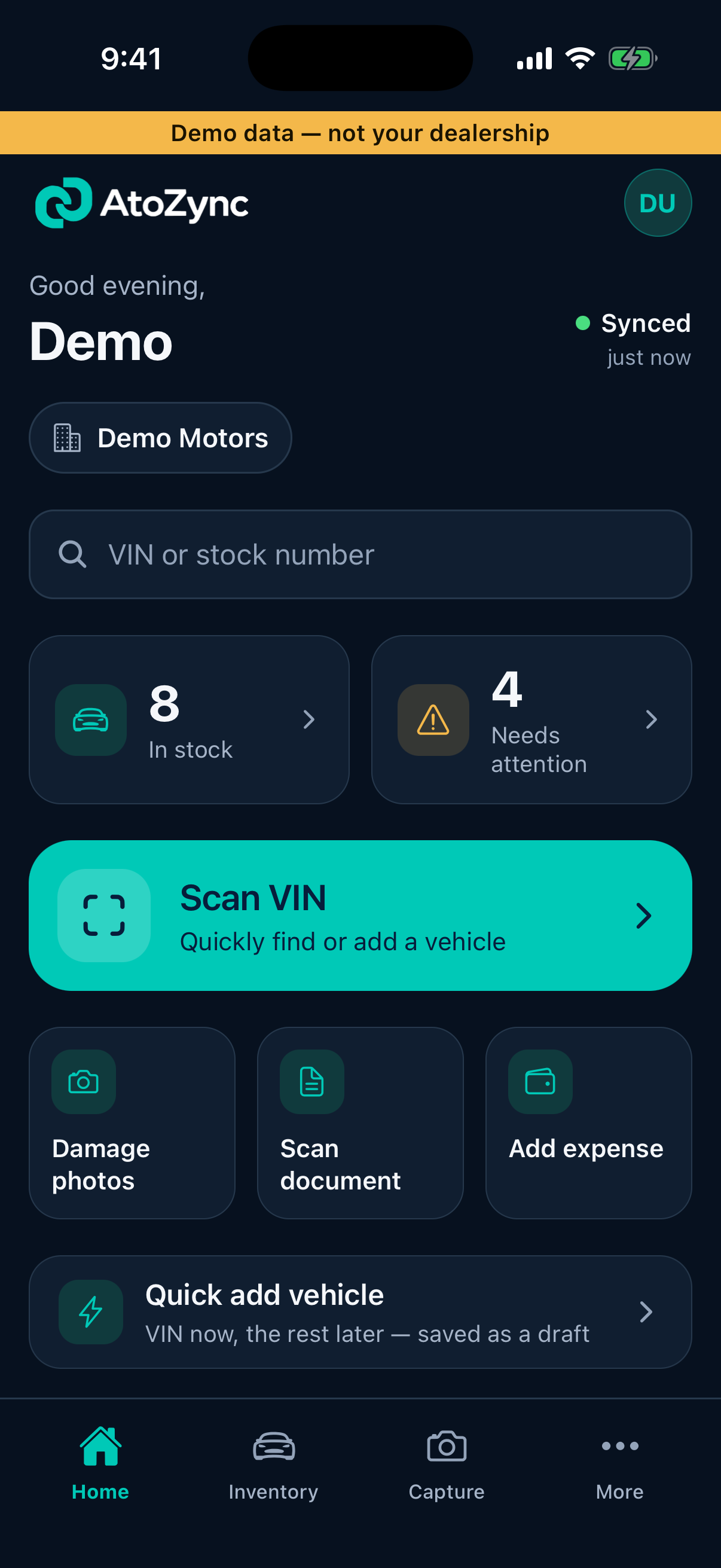
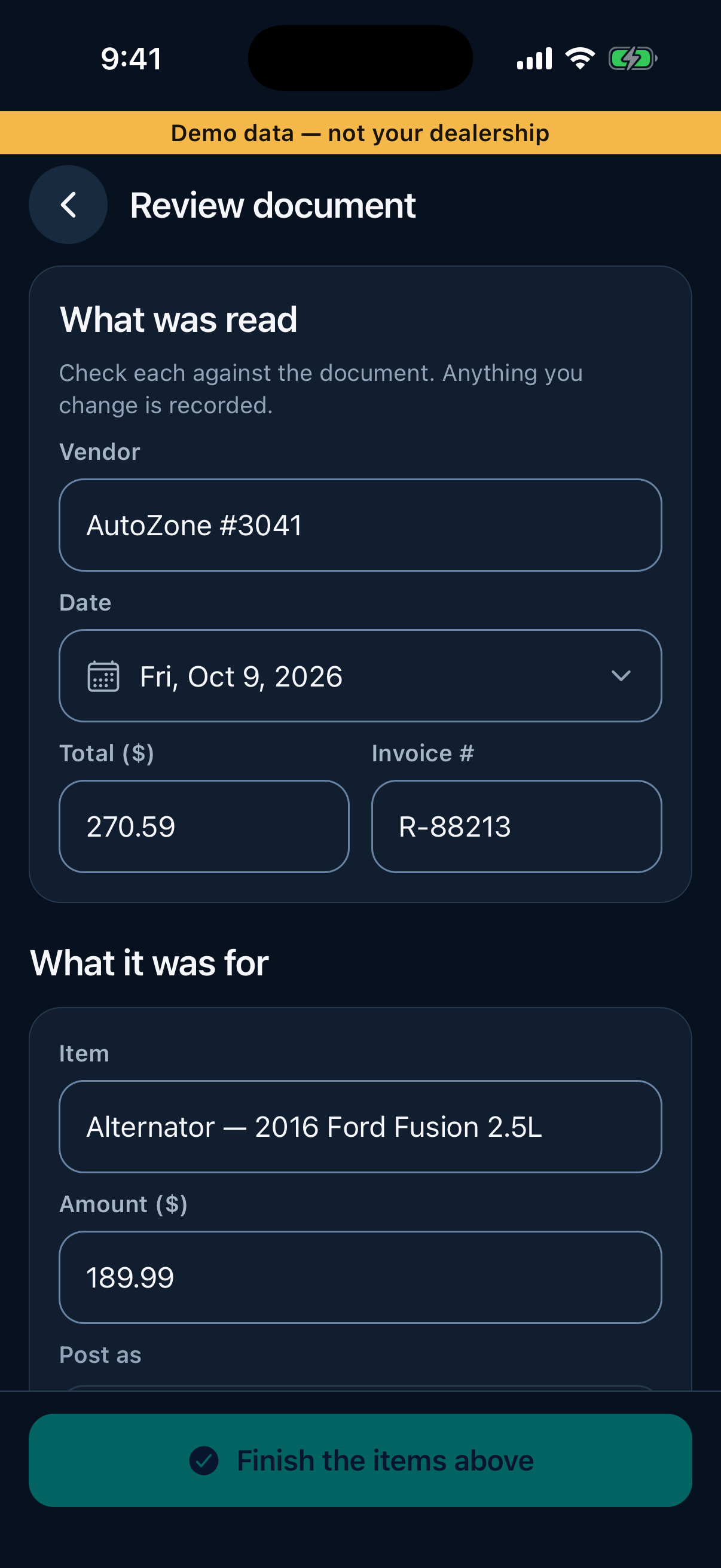
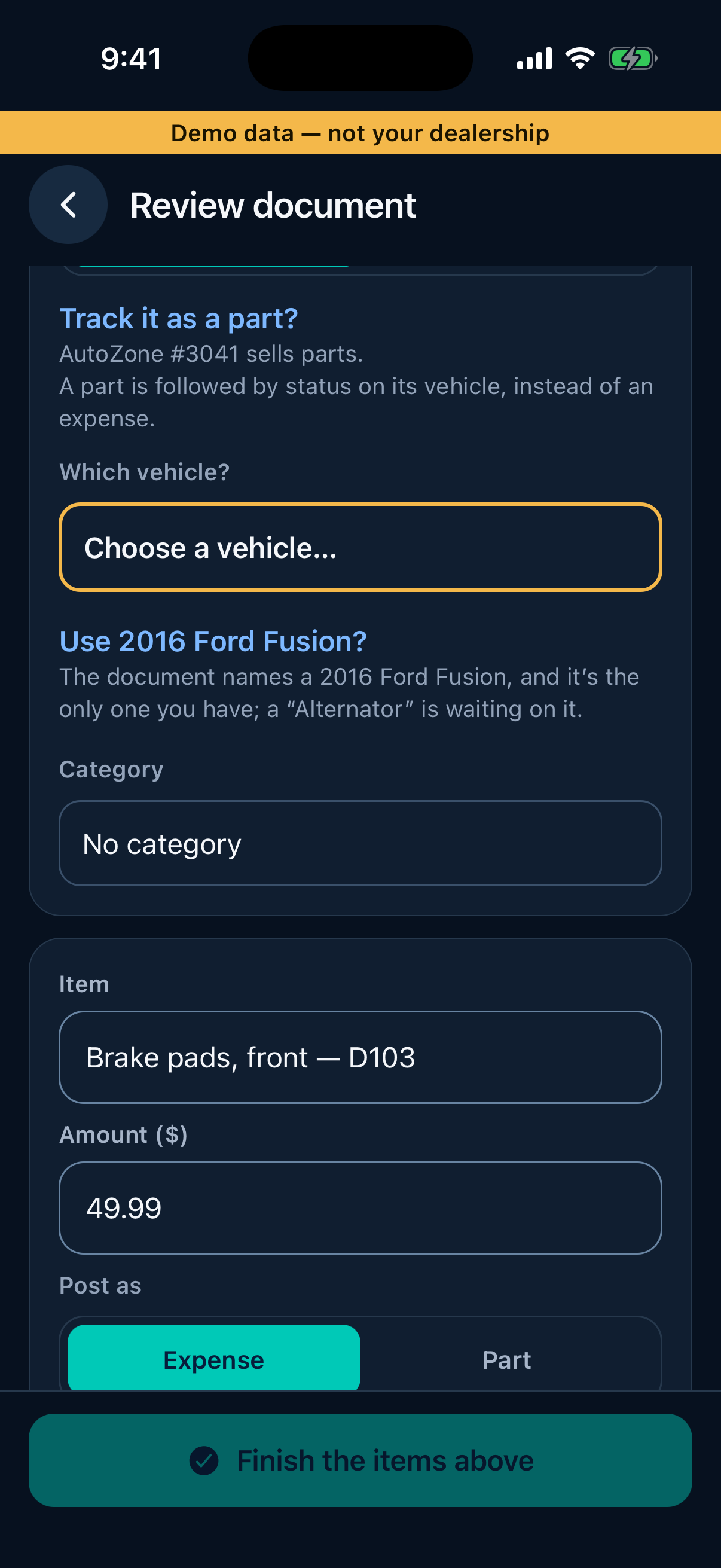
Actual AtoZync iPhone app · Demo data
How it works
Three steps, using the same screens you would use every day.
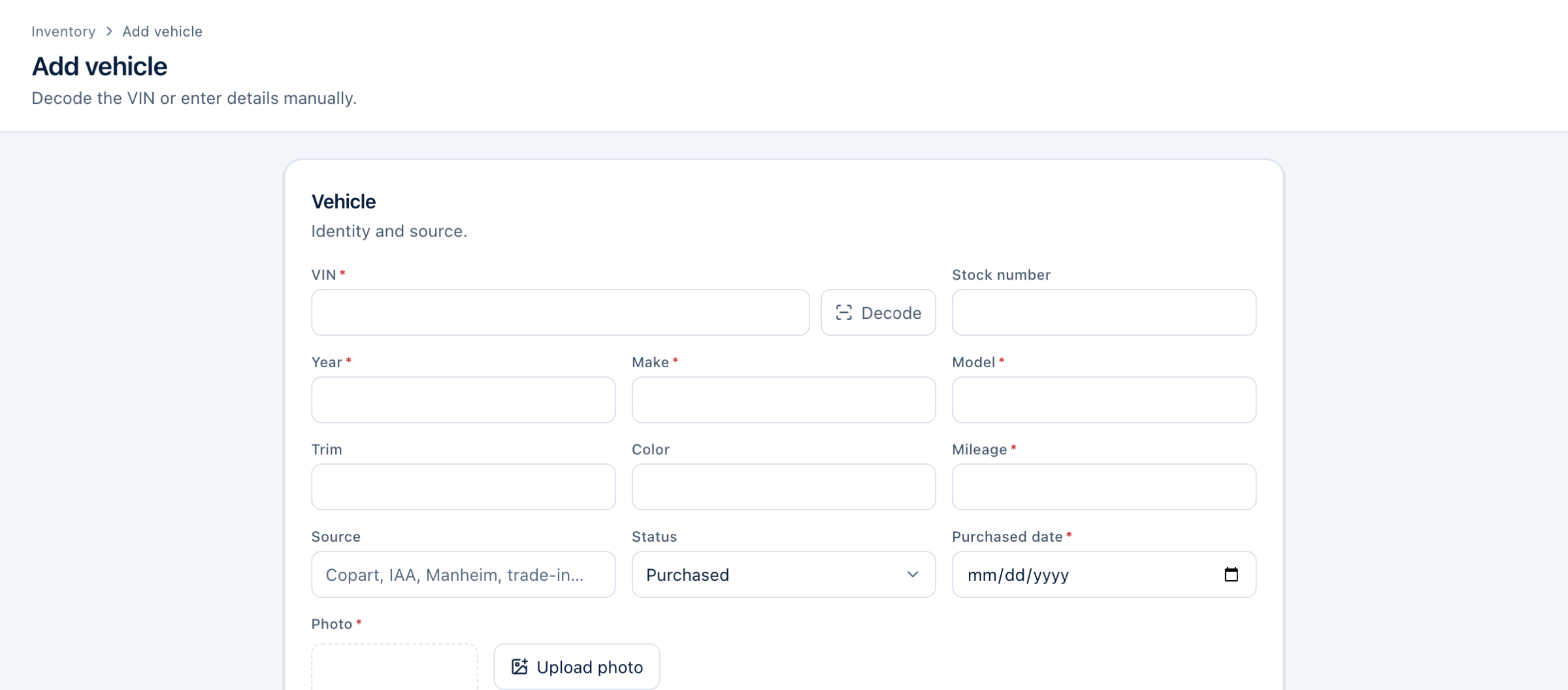
- VIN decode fills in year, make and model
- Acquisition cost and asking price on the same form
- Parts with vendor, status, expected date and owner
- Expenses and parts listed together, newest first
- Lanes from Purchased to Listed
- Overdue parts and stalled cars flagged
Built from the day-to-day work of a dealership.
AtoZync started inside a working used-car dealership, with a practical goal: keep vehicle information, repairs, parts, and costs organized in one place.
It is now software for other independent dealers who run their lot the same way — buying cars, getting them ready, and needing to know where each one stands.
What happens when you sign up
Step 1
Create your account
Your name, email and a password.
Step 2
Confirm your email
If we email you a confirmation link, open it, then sign in.
Step 3
Set up your dealership
Its name, time zone, currency and your usual processing fee.
Step 4
Add your first vehicle
Start with a VIN; the rest of the workspace builds from there.
Questions
Who is AtoZync designed for?
Independent used-car dealers who buy, recondition and sell their own inventory, and want each vehicle’s status, repairs, parts and costs in one place instead of across spreadsheets, texts and paper.
What can I track for each vehicle?
Its VIN, stock number, year, make, model, trim, colour, mileage, source, purchase date and photo; its current status and what is holding it up; mechanic and body-shop work; the parts ordered for it with vendor, tracking, expected date and owner; the expenses paid against it; and what it cost you in total. After it sells, the registration and title steps.
Can my team use it?
Yes. Each person signs in with their own account and has a role — owner, administrator, manager, salesperson, inventory manager, mechanic, body shop, accountant or read-only — that decides what they can see and change. Inviting teammates from inside the app is not available yet; until it is, new team members are added to your dealership for you.
Can I use it from my phone?
Yes. The AtoZync iPhone app is built for the lot: scan invoices and receipts, read VINs with the camera and photograph damage. Your whole workspace also works in your phone’s web browser.
Can I import my existing inventory?
Not yet. Vehicles are added one at a time, and VIN decoding fills in the year, make and model for you. You can export your inventory to a CSV file at any time.
Does AtoZync replace my accounting software?
No. It keeps each vehicle’s costs together — what you paid, the parts and expenses recorded against it — so you can see what a car has cost you. It does not do bookkeeping, payroll or taxes, and its figures are only as complete as what you record.